Epson iPrint
Seiko Epson Corporation
Downloads
50,000,000+
Source
Google Play
Advertisement
Click to download now, finish the installation quickly, and directly unlock the all-round experience
Advertisement
Screenshots
Click to download now, finish the installation quickly, and directly unlock the all-round experience
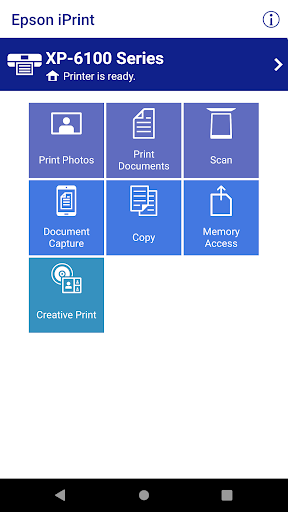
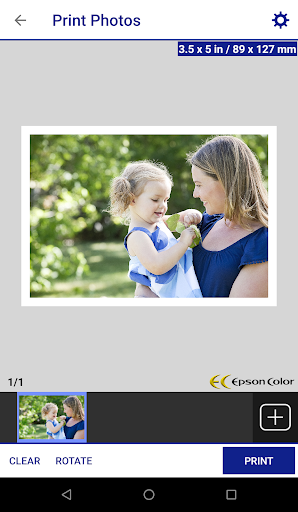
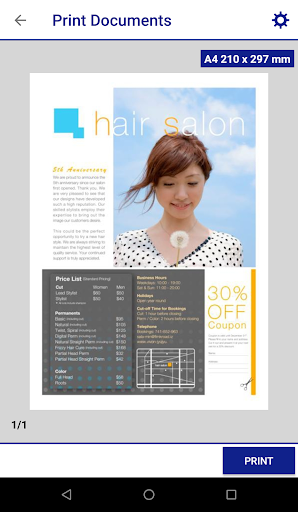
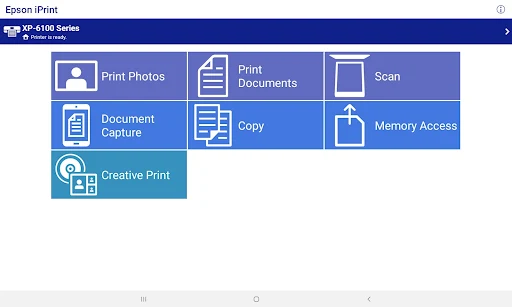
Epson iPrint lets you print from an Android phone or tablet to a compatible Epson printer. It can handle photos, PDFs, email attachments and stored files, along with Word, Excel and PowerPoint documents. Office files need Google Drive access so they can be prepared as printable PDFs.
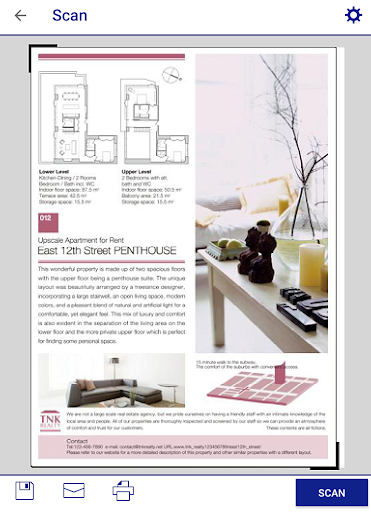
The app also works with Epson all-in-one printers for scanning, and can help you copy documents or photos using your phone and a nearby printer. You can choose settings such as paper size, copies, page range and color or monochrome printing.
This is most useful if you already own a supported Epson printer and sometimes need to print or scan without moving files to a computer. It can also show printer status and ink levels. Some Epson printers support remote printing through an email-enabled printer, which may help when you are away from home.
If you rarely print, or your printer is from another brand, there is little reason to keep this app on your phone. Printer compatibility is the first thing to check before relying on it.
Some functions depend on the printer model and connection. For Wi-Fi Direct, the app asks for location services permission to search for wireless networks; Epson says it does not collect location data for this purpose. Office document printing also involves Google Drive, so that extra dependency may not suit everyone.
Epson iPrint is published by Seiko Epson Corporation. Its 4.61-star rating across about 864,000 reviews and 50 million-plus installs suggest it is widely used, though those numbers do not guarantee it will work with a particular printer. If your Epson printer is supported and you print from your phone, it has a clear purpose; otherwise, you can skip it.